
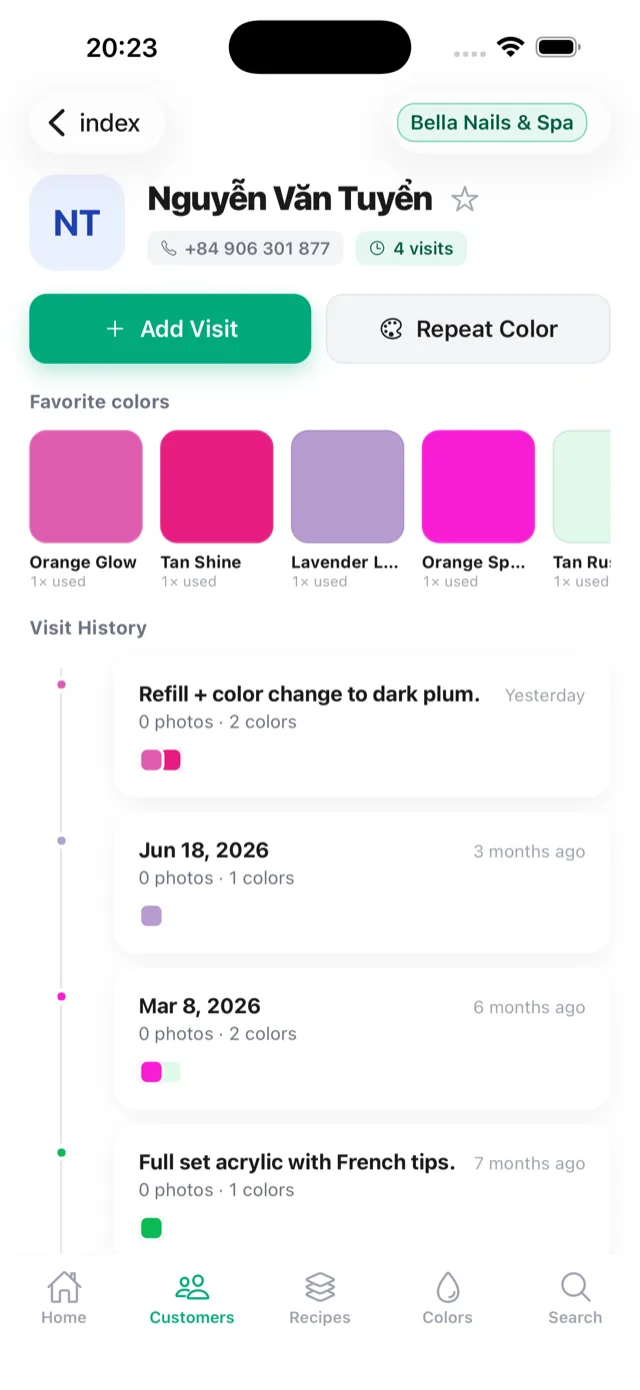
Most color apps track a collection. NailNote tracks your clients.
Search the App Store for a polish tracker and you'll mostly find apps for a personal stash: which bottles you own, which you want next. That's useful at home. A salon needs a different answer: which color did this client wear, on which visit, and is the bottle still on the shelf?
That question needs three things connected - the client, the visit, and the bottle - and that is what NailNote is built around.
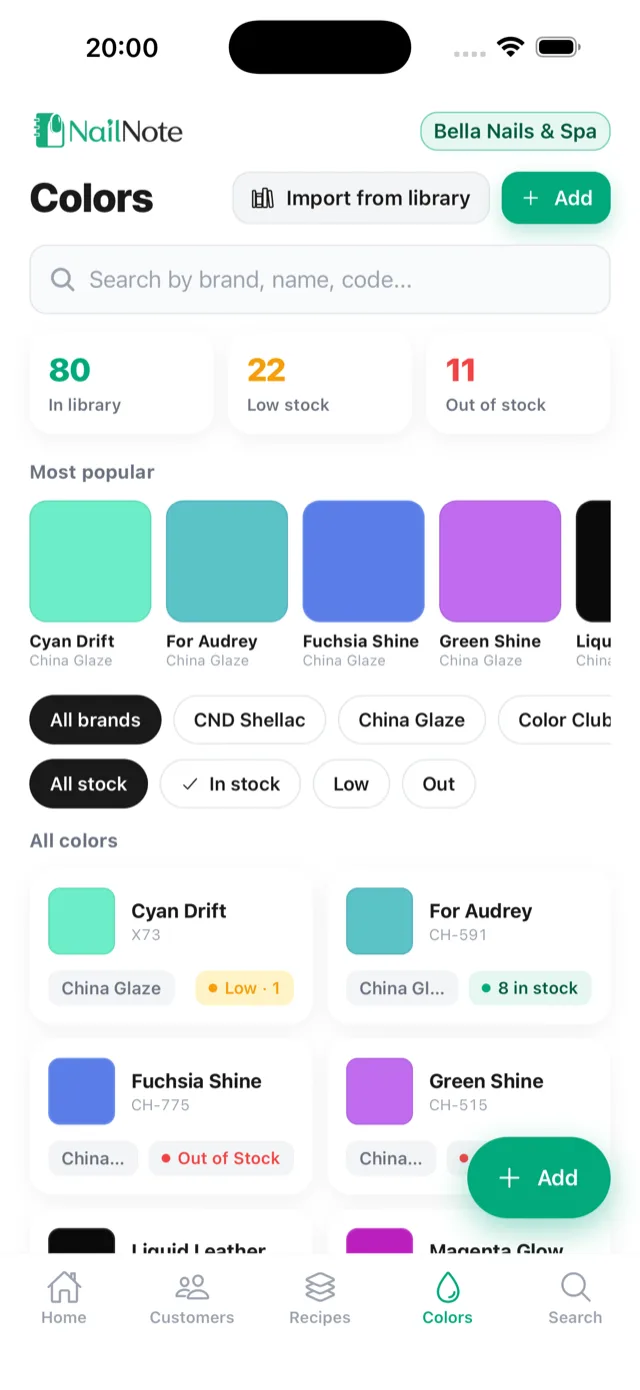
What you can record for every color
Each color in your inventory can hold:
- Brand and name - OPI, DND, CND, Kiara Sky, or any brand you carry.
- Manufacturer code - the code printed on the bottle, like GC N25. This is what finds the exact shade.
- Salon code - your own shelf numbering, like A12, if your wall uses one.
- Type - gel, dip, regular, shellac, or acrylic, so "428 in gel" and "428 in dip" stay separate.
- Finish and swatch color - for scanning the list by eye.
- Location - "Rack A3," so anyone can find the bottle, not just the person who shelved it.
- Stock quantity - how many bottles you have.
Search works on brand, name, and code, and you can filter by brand or stock status.
Stock that warns you before the client sits down
Every color shows in stock, low, or out, and the inventory screen counts how many colors are low or out at a glance. A quick stock update takes one tap when you open or finish a bottle. Each color also keeps its usage history - the visits it was used on - so you can see your most popular shades and reorder before they run out.
When you delete a color, past sets still show it, marked as deleted, so a client's history never loses information.
Import colors from the polish library
You don't have to type in your whole wall. The polish library lets you browse popular brands and import their colors into your inventory in bulk, with a starting stock for each. Add your own codes and shelf locations afterwards.
Color recipes for custom mixes
Signature mixes are the colors clients come back for, and the ones that disappear when the tech who invented them is off. In NailNote, a mix becomes a color recipe: named, with the colors it uses and a photo of the result, reusable on any client by anyone. You can also save a finished set from a visit as a recipe.
On Pro, recipes go further: step-by-step instructions with coats and notes ("cure 60s," "rub after second coat"), non-color steps like rubber base or chrome powder, variants of a recipe, and salon-standard recipes that a manager approves so every tech does the set the same way.
Which plan includes what
Polish inventory, the polish library, and color recipes are included in the Free plan (1 salon, up to 3 members). Pro adds recipe steps with coats and notes, variants, and salon-standard recipes, plus unlimited members. Every new salon gets 30 days of Pro free, no card needed. See pricing.
For the workflow behind all of this - what to write down and why - read our guide on how to track nail polish colors for every client.